Small gestures, lasting memories
How to print and present your star certificate
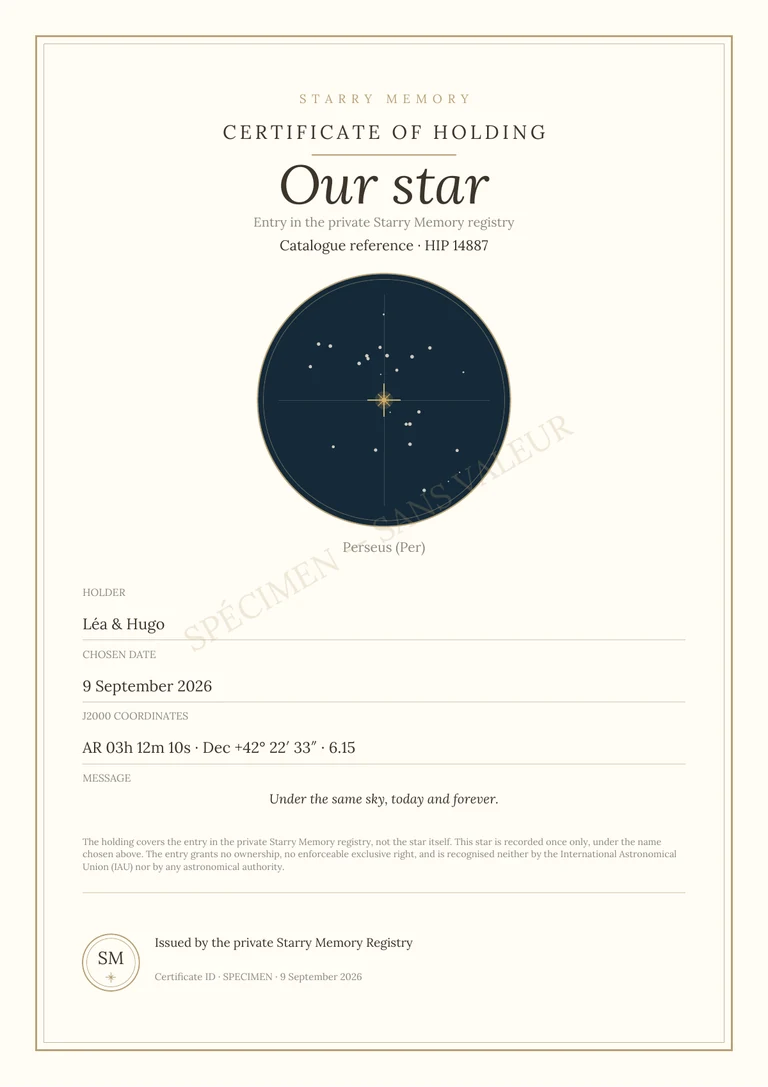
A digital certificate can become a printed gift if you prepare the file and media carefully. Before choosing a paper or frame, open the PDF actually downloaded after confirming the order and check what it contains.
A symbolic dedication in our private register.
Check both pages of the PDF
The PDF includes the personalized certificate and the observation guide in A4 format. Reread the dedication name, recipient, date, and message, then check that the characters appear correctly. Look at the edges and line breaks at actual size. Keep a copy of the original file before handling. A screenshot of the preview is not a substitute for the final PDF for preparing a clean and complete print.
Make a test print before using your chosen paper
In the print window, select the A4 format and control the orientation as well as the margin preview. Compare the options for actual size and adjustment to the printable area according to the capabilities of your printer: the main thing is not to cut any edges. Test on a regular sheet first. Then choose a paper whose weight and finish are accepted by the machine; A support that is too thick can go wrong, even if its appearance seems ideal for a certificate.
Keep the observation guide with the certificate
You can return the two pages separately, slide the guide behind the certificate or put them together in a pocket. If you are adding a frame, measure the document and the visible opening before purchasing. Avoid the boilerplate hiding a line or the star reference. Printing, paper, framing and shipping are not included in the Starry Memory digital offering. Also keep the PDF for the recipient: they will be able to reprint the souvenir without having to keep only your paper copy or a photograph of the frame.
Before preparing your gift
- Open and review the final PDF, not a screenshot.
- Test A4 size, scale and margins on plain paper.
- Check the compatibility of the paper with the printer.
- Keep the guide and a digital copy of the document.